
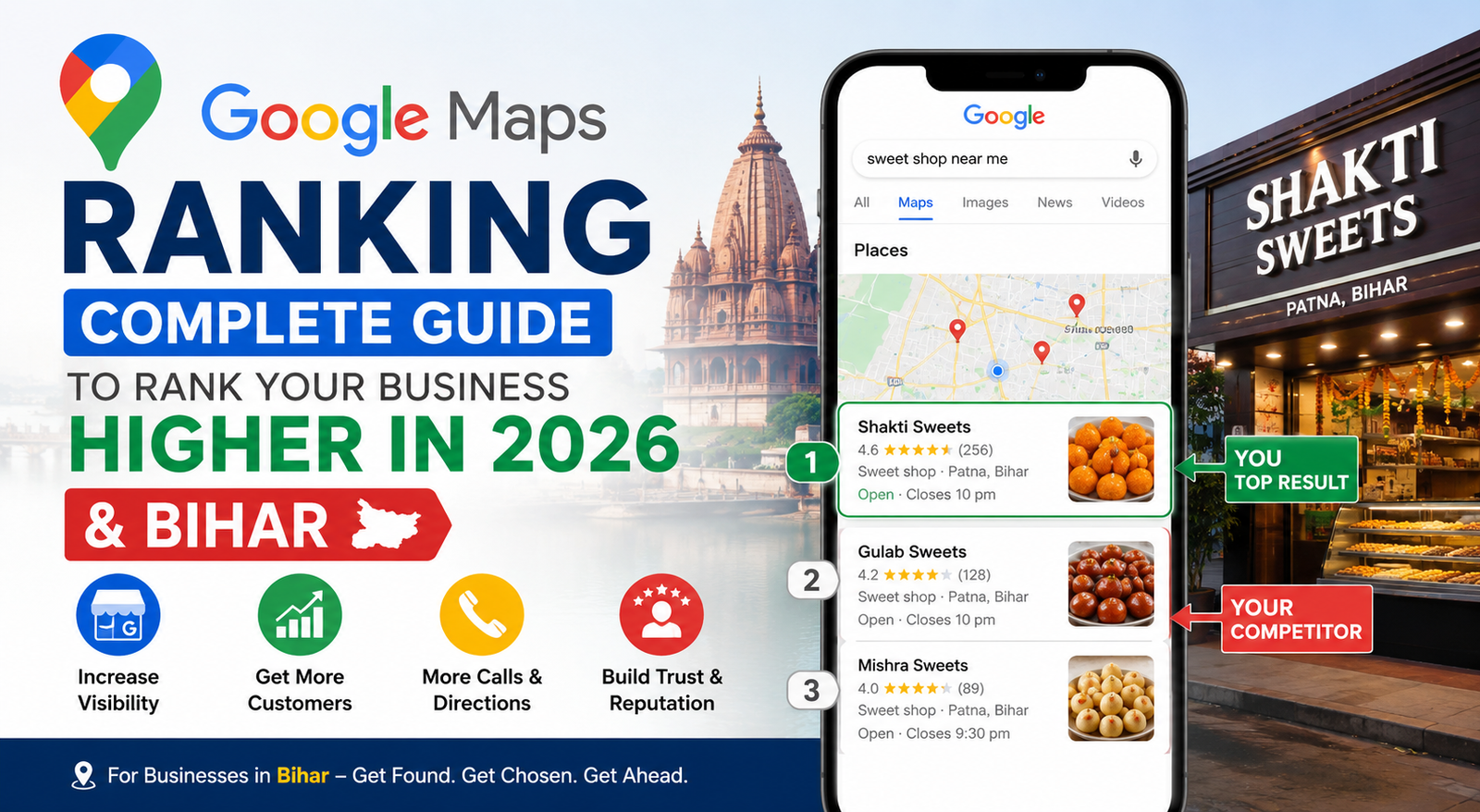
Imagine you run a sweet shop in Patna. Your shop is open every day, your sweets are fresh, and your prices are fair. But when someone nearby searches "sweet shop near me" on Google, your competitor three lanes down appears in the top results while your business is nowhere to be seen. The phone calls go to them. The customers visit them. You miss out on sales.
This is not a product problem. It is a visibility problem.
Google Maps ranking determines which businesses appear in the highly visible "Local Pack" – the section that displays the map, business ratings, contact details, and directions. If your business is not appearing there, you are losing potential customers every single day to competitors who have invested in Local SEO and Google Business Profile optimization.
At Ghosting Tech, we have helped businesses improve their online visibility through strategic Local SEO, Google Business Profile optimization, citation building, and website optimization. We understand that ranking higher on Google Maps is not about luck. It is about following the right strategy consistently.
In this complete guide, Ghosting Tech will explain how Google Maps ranking works and share five proven steps that can help your business improve its local search visibility. Whether you run a shop in Kankarbagh, a clinic in Boring Road, a coaching institute in Rajendra Nagar, or any local business anywhere in India, these strategies can help you attract more customers and grow your business online.
When someone in Patna searches for "best restaurant near me" or "electrician in Bihar Sharif," Google shows a box with three local businesses right at the top of the results page. This box is called the Google Local Pack, or the Map Pack. The businesses inside it get the lion's share of clicks - research consistently shows that local pack results capture more than 70% of all local search traffic.
If your business is not in that three-box result, you are practically invisible to people who are ready to buy right now.
The Google Local Pack is the block of three business listings that appears on Google Search above the regular blue links whenever someone searches for a product or service near a specific location. Each listing shows your business name, star rating, address, phone number, opening hours, and a link to Google Maps. Appearing in this pack is one of the most effective ways to get more calls, more footfall, and more revenue from local customers — at zero cost per click.
Google uses three core factors to rank businesses in the local pack. Every strategy in this guide connects back to one or more of these three factors.
Relevance - Does your business profile match what the user is searching for? The right business category, keywords in your description, and a fully completed profile all improve relevance.
Distance - How close is your business to the person searching? Google gives priority to businesses that are physically nearer to the searcher's current location or the location they mentioned in their search.
Prominence - How well-known and trusted is your business online? Reviews, citations on directories, backlinks to your website, and the overall completeness of your profile all contribute to prominence.
You cannot move your shop closer to every searcher in the city. But you can absolutely improve your relevance and prominence - and that is where the real work happens.
Your Google Business Profile (GBP) - formerly known as Google My Business - is the most important asset you have for Google Maps ranking. Think of it as your official digital address on Google. Without a verified profile, your business simply does not exist on Google Maps as far as the algorithm is concerned.
Open a browser and go to business.google.com. Sign in with a Google account that belongs to your business. Search for your business name. If Google has already auto-created a listing for you, you will see it - click "Claim this business." If no listing exists, click "Add your business to Google."
Fill in every single section. Business name, full address, phone number, website URL, business category, and operating hours. Do not leave anything blank. An incomplete profile tells Google - and potential customers - that you are not serious about your online presence.
An unverified profile ranks very poorly, if at all. Google needs to confirm that your business genuinely operates at the address you provided. The most common method is a physical postcard that Google mails to your business address. It arrives within 5 to 14 days and contains a five-digit verification PIN. Log back into your profile and enter that PIN to complete verification.
Your primary business category tells Google exactly what type of business you are. It has a direct and significant impact on which searches you appear for. Be specific. Instead of selecting "Shop," choose "Sweet Shop" or "Grocery Store." Instead of "Restaurant," choose "Biryani Restaurant" or "South Indian Restaurant." Google offers hundreds of specific categories — take the time to find the most accurate one.
Setting up and verifying your profile is the foundation. Optimising it is what actually improves your position. A fully optimised profile gives Google more signals to rank you higher and gives customers more reasons to choose you over someone else.
Your business description gives you up to 750 characters to explain what you do, who you serve, and where you operate. Use this space intelligently. Mention your city or area naturally — for example, "We offer digital marketing and local SEO services for small and medium businesses in Patna, Bihar." Include relevant terms like Google Business Profile optimisation or local business marketing if they genuinely describe your services.
Businesses with photos on their profiles receive far more direction requests and website visits than those without. Add photos of your shopfront or office entrance, your team at work, your products or service results, and your interior space. Use real, clear, well-lit photographs. Blurry or dark images give customers the wrong impression before they have even met you.
Upload new photos at least once a month. Regular activity on your profile signals to Google that your business is open, current, and engaged - all of which support better ranking.
NAP stands for Name, Address, and Phone Number. These three pieces of information must appear in exactly the same format everywhere your business is listed - your Google Business Profile, your website, social media pages, JustDial, Sulekha, and every other directory.
Even small differences cause problems. If your profile says "Boring Road" but your website says "Boring Rd," Google sees these as potentially different businesses or locations. This inconsistency weakens the trust signals Google uses to determine your ranking. Pick one format and stick to it everywhere.
Google Posts are short updates you can publish directly on your profile - similar to a social media post but appearing on Google Search itself. You can share special offers, new products, seasonal announcements, events, or any update relevant to your customers.
Posting two to four times a month keeps your profile fresh and active. Google favours active profiles in ranking. And practically, a post showing a current offer is one more reason for a potential customer to choose your listing over a competitor's.
Reviews are among the strongest ranking signals Google uses for local search. They affect your position in the local pack and the number of people who actually click your listing. A business with 50 reviews and a 4.5-star rating will almost always outrank a similar competitor with 5 reviews and a 3.8 rating - even if the competitor's profile is otherwise well-optimised.
Google treats reviews as evidence of prominence - one of the three core ranking factors. When real customers leave detailed, genuine reviews mentioning your services, your location, and their experience, it tells Google that your business is trusted, relevant, and established in the community. The total number of reviews, the average star rating, the freshness of recent reviews, and the keywords customers naturally use in their reviews all contribute to your overall ranking strength.
Most happy customers never leave a review simply because no one asked them to. The solution is simple and costs nothing.
Train your staff to mention reviews after a positive interaction: "If you are happy with today's service, a quick Google review would really help us - it only takes a minute." Create a short Google review link from your profile dashboard (under "Get more reviews") and share it on WhatsApp messages, printed receipts, visiting cards, or a small sign at your billing counter. A QR code placed at the checkout works very well for retail shops and restaurants across Bihar.
Do not offer discounts, gifts, or cash in exchange for reviews. Google explicitly prohibits this practice. Getting caught doing it can result in your profile being suspended or all your reviews being removed.
A one-star review is frustrating. Ignoring it is worse. Every review - positive or negative - deserves a response within 48 hours.
For negative reviews, acknowledge the customer's concern, apologise where appropriate, and offer to resolve the matter offline. Keep your response calm, brief, and professional. Never argue publicly. Potential customers reading your listing will judge you not only on the complaint itself but on how maturely and thoughtfully you handled it. A business that responds well to criticism often gains more trust than one with only perfect reviews and silence.
[Get in Touch with Ghosting Tech Patna Today →]
A local citation is any online mention of your business name, address, and phone number - whether on a business directory, a review platform, a social media page, or a news website. Citations act as votes of credibility in Google's eyes. The more accurate, consistent citations you have across trusted platforms on the web, the more confident Google becomes that your business is real, established, and deserving of a higher ranking.
Listing your business on Indian directories is especially important for local SEO in Patna and Bihar, because these platforms have strong authority with Google and are actively indexed. Start with these
|
List Your Business Listing site |
Content |
|
The most widely used Indian business directory with huge traffic and free business listings. |
|
Excellent for service-based businesses, including tutors, electricians, beauticians, and home services. |
|
A must-have platform for manufacturers, suppliers, wholesalers, and B2B businesses. |
|
Helps improve citation volume and local search visibility. |
|
Strengthens online presence and supports NAP consistency across search engines. |
|
Builds trust, improves brand visibility, and acts as a valuable local citation. |
When creating every one of these listings, copy your NAP details exactly as they appear on your Google Business Profile - word for word, comma for comma. One inconsistency across multiple directories creates conflicting signals and can quietly drag your ranking down.
Your Google Business Profile and your website are two parts of the same local SEO ecosystem. A strong website amplifies the signals coming from your profile and can push your Maps ranking higher than profile optimisation alone would achieve.
Include your location - Patna, Bihar, or specific neighbourhoods like Boring Road, Kankarbagh, Fraser Road, or Rajendra Nagar - in your homepage headline, your about page, your services pages, and your footer. Write the way a real business speaks: "We are a digital marketing agency helping small businesses grow across Patna and Bihar" is clear, natural, and keyword-rich.
Also create a dedicated contact page that includes your full business name, address, and phone number written out in plain text - not embedded in an image. Google cannot read text inside images.
Go to Google Maps, search for your verified business listing, click "Share," then "Embed a map," and copy the iframe code. Paste it on your contact page. This creates a direct, visible connection between your website and your Google Business Profile, which sends a relevant local signal to Google.
Schema markup is code added to your website's backend that helps Google understand your content more precisely. For local businesses, the most important types are LocalBusiness schema, GeoCoordinates, FAQPage, and AggregateRating. Implementing these correctly can qualify your website for rich results in Google Search - larger, more informative listings that attract significantly more clicks.
If code is not your thing, your web developer can handle this, or you can ask the Ghosting Tech team to include it as part of a local SEO package.
Most local businesses in Patna and Bihar are making at least one of these mistakes right now. Correcting them can produce noticeable ranking improvements even before you do any active optimisation work.
Incomplete or unverified profile - A profile that is half-filled or awaiting verification has almost no chance of ranking in the local pack. Google routinely deprioritises incomplete listings.
Ignoring customer reviews - Not asking for reviews and not responding to the ones you receive both send negative signals. Active, ongoing review engagement is a ranking factor that many businesses overlook entirely.
Wrong or broad business category - Choosing "Shop" instead of "Clothing Store" or "Footwear Store" makes your listing irrelevant to the specific searches you should be ranking for.
Inconsistent NAP across platforms - Your address on JustDial says "Boring Rd" but Google says "Boring Road." Your phone number on your website has a different format. These small differences quietly erode Google's confidence in your listing.
No photos or outdated photos - An empty or stale profile signals to Google - and to customers - that the business may no longer be active.
[Get in Touch with Ghosting Tech Patna Today →]
For most local businesses in India, noticeable improvement in Google Maps ranking takes 4 to 12 weeks. The timeline depends on how competitive your area is, how complete and active your profile is, and how many reviews you accumulate. In smaller towns across Bihar with less competition, results can appear sooner. Consistency over time always outperforms a one-time effort.
Yes. Creating and optimising a Google Business Profile costs nothing. Your organic position in the local pack is earned through profile quality, reviews, and citations - not by paying Google. Google Local Service Ads are a separate paid option that can place your listing above the organic local pack, but they are not required to rank organically.
There is no officially stated minimum. However, businesses with 10 or more genuine reviews and an overall rating of 4.0 or above consistently outperform those with fewer or lower-rated reviews. Recency also matters - two new reviews every month is more effective than 20 reviews received all at once and then nothing for a year.
The most common reasons are an unverified profile, an incorrect or overly broad business category, inconsistent NAP information across platforms, missing or outdated photos, very few reviews, or a suspended listing due to a Google policy violation. Start by logging into your Google Business Profile dashboard and checking your verification status. Then review your profile for completeness.
Yes. A professional local SEO company that understands the Bihar and Patna market can speed up your ranking significantly. They handle Google Business Profile optimisation, citation building on Indian directories, review management, website schema implementation, and performance tracking. Ghosting Tech specialises in exactly this for local businesses across Bihar.
Yes. Your website is linked to your Google Business Profile, and Google evaluates it for local relevance signals - city names in your content, schema markup, page authority, and the consistency of your NAP. Even a simple, well-optimised website with clear local content and an embedded Google Map gives your Maps ranking a meaningful boost.
Google Maps ranking is not a mystery. It follows clear rules - a complete, verified profile, consistent NAP, genuine reviews, strong citations, and a locally optimised website. When you get all five working together, the results are real and lasting.
Ghosting Tech is a digital marketing company based in Patna, Bihar. We have helped local businesses across Patna, Muzaffarpur, Gaya, and wider Bihar get into the Google Maps local pack and stay there. From Google Business Profile setup and optimisation to citation building, review strategy, and local schema implementation - we handle the technical work so you can focus on running your business.
Get in touch today for a free local SEO audit. We will review your current Google Maps presence and tell you exactly what needs to change to start ranking higher in Patna and Bihar search results.
Discover your perfect program in our Blog.

Boost your business with leading Digital Marketing Companies in Patna! Explore Internet Marketing Strategies like SEM, SMO, SEO, PPC, ORM, and more. Partner with Ghosting Tech for unparalleled growth!

Looking for the top website designing company in Patna? Ghosting Tech excels as a premier web design company in Patna, specializing in website making and professional web designing services. Elevate your online presence with Ghosting Tech today!

Looking for the best SEO company in Patna? Ghosting Tech offers top-notch SEO services in Patna, tailored to enhance your online visibility and drive targeted traffic to your website.



 +61 423091100
 +91
94700 17395
+91
94700 17395
 +971 56 316 7056
 +91 94700 17395
 "QUOTE NOW"